
What Is Gemini AI? How Google's Assistant Can Be Used in Business
Gemini is Google’s artificial intelligence assistant: it can interpret text, images, audio and video, and depending on the features and plan you choose, it can also create various types of content. It works in Hungarian too, its basic version is free, and in certain paid and business plans it is built into Gmail, Docs, Sheets, Meet and other Google applications.
In this article we look at Gemini AI from a business perspective: what it can do, how much it costs, how it differs from ChatGPT, and what to watch out for if you want to do more than simply try it out and genuinely roll it out across your organisation.

What Is Gemini AI?
Gemini AI is Google’s generative artificial intelligence system. The chatbot previously known as Bard was renamed Gemini in February 2024, and the name now covers Google’s AI model family, its assistant and the AI features built into several Google products.
In practice, this means Gemini can do the following from a single interface:
- write and rework text: emails, proposals, summaries, presentation outlines,
- analyse and summarise documents, spreadsheets and long PDFs,
- interpret and generate images, and hold voice conversations,
- write program code and find bugs,
- draw on up-to-date information when combined with Google Search,
- produce a research summary independently from dozens of sources in Deep Research mode.
The label „multimodal” is therefore not a marketing gimmick: the same assistant reads the draft contract, summarises the meeting and creates the illustration for the internal newsletter.
Does Gemini Work in Hungarian?
Yes, Gemini can be used in Hungarian: it understands questions in Hungarian, replies in Hungarian, and in the mobile app instructions can also be given by voice. Hungarian-language „Hey Google” voice activation and some assistant actions are not currently supported, however. The quality of the answers can also depend on the complexity of the task and the context provided.
Gemini can also be used to process, summarise and rework Hungarian-language documents, for example contracts, minutes and client letters. It can help with translation tasks as well, but human review is still needed for important or publicly published text.
How Much Do Gemini Subscriptions Cost?
Gemini AI can be used free of charge with a Google account. The free version works with usage limits that reset periodically, whilst the paid plans provide higher usage allowances, a larger context window and further AI features. The Flash-Lite, Flash and Pro models are available in both the free and the paid plans, but with different limits.
| Plan | Indicative price (August 2026) | What does it include? |
|---|---|---|
| Gemini (free) | HUF 0 | Limited access to the Flash-Lite, Flash and Pro models, web and mobile app, and use in Hungarian. |
| Google AI Plus | HUF 1,890/month* | Higher usage limits than the free tier, broader access to the Gemini 3.1 Pro model and the Deep Research feature, Gemini features in Gmail, and 400 GB of cloud storage. |
| Google AI Pro | HUF 8,790/month* | The features of the Plus plan, higher usage limits, a 1 million token context window, broader access to the Gemini 3.1 Pro model and the Deep Research feature, Gemini features in Gmail, Docs and Sheets, and 5 TB of cloud storage. |
| Google AI Ultra | from HUF 35,990/month* | The features of the Pro plan, the highest usage limits, access to Deep Think mode and the latest experimental features, and at least 20 TB of cloud storage. In some countries it also includes a YouTube Premium subscription. |
| Google Workspace Business / Enterprise | The price of the chosen Workspace plan | Gemini is available in several Workspace Business and Enterprise plans without buying a separate AI add-on, but the range of features differs by plan. Business Starter mainly gives access to the Gemini app and the AI features in Gmail, whilst in the Standard, Plus and Enterprise plans Gemini can also be used in Docs, Sheets, Slides, Drive, Meet and other Workspace applications. It provides enterprise-grade data protection and administration features. |
* Prices and plan conditions reflect the position as at 23 August 2026. Google may change prices, usage limits, model versions and available features at any time, so it is worth checking the current offer before subscribing.
From a business point of view it matters that Gemini’s AI features are already part of the subscription in several Google Workspace Business and Enterprise plans. If your organisation already uses Google Workspace, you may not need a separate AI licence. The available Gemini features should always be checked against the specific plan, however: Business Starter offers more limited access, whilst the Standard, Plus and Enterprise plans provide broader Workspace integration.
Which Models Power Gemini?
Gemini is not a single artificial intelligence model but a system made up of several models optimised for different tasks. Three tiers of the Gemini 3 model family are available in the Gemini apps: Flash-Lite, Flash and Pro. Google updates the version of each tier frequently, so it is worth checking the current model variants in the Gemini app settings.
Gemini Flash-Lite is fast and suited primarily to everyday tasks such as summarising and brainstorming. Gemini Flash offers a balance between speed and more complex reasoning, whilst Gemini Pro is built for more demanding analytical, mathematical and programming tasks. Pro is also capable of processing longer texts, documents, images and videos in greater detail.
Which Plans Include the Gemini Models?
Flash-Lite, Flash and Pro are available in both the free and the paid plans, but with different usage limits. Google AI Pro and Ultra provide a 1 million token context window.
Image generation and image editing are supported by separate models, including Nano Banana 2 and Nano Banana Pro. Google updates model versions and their availability regularly, so for business use it is worth considering not only the model name but also the usage allowance, the Workspace integrations and the data protection conditions.
How Can Gemini Be Used in Day-to-Day Work?
Using Google Gemini can be particularly effective when it is applied not just as a standalone chat interface but built into the Google Workspace applications: that way it can help directly in the tools where everyday work actually happens.
A few examples:
- Gmail: summarising long email threads, drafting suggested replies and writing messages in different tones of voice.
- Docs: producing a first draft of a proposal, policy or report, and adjusting the tone and formatting of the text to the company style.
- Sheets: creating tables and formulas from natural language instructions, analysing data, spotting patterns and building quick visualisations.
- Meet: automatic note taking in supported plans, summarising meetings and capturing next steps so participants do not have to take notes continuously.
- NotebookLM: a question-and-answer and research assistant built on your own sources, for example policies, studies and project materials.
In our experience the best starting point for adoption is not the „let’s use it for everything” approach but choosing two or three clearly scoped, repetitive tasks, for example producing minutes or proposal drafts, where the time saved is easy to measure.
Gemini or ChatGPT: Which One Is Better?
In the „Gemini vs ChatGPT” comparison there is no clear winner for everyone. Both tools can support a wide range of office tasks, so the choice is determined primarily by an organisation’s existing systems, workflows and data protection requirements.
Gemini can be particularly advantageous for organisations that use Google Workspace. It can be built directly into Gmail, Docs, Sheets and Meet among others, and in certain Workspace plans the AI features are already part of the subscription.
ChatGPT may be a better fit if an organisation is looking for a standalone AI workspace that can be connected to a variety of systems. ChatGPT Business can be linked to Microsoft 365, Google Drive, Slack and GitHub among others, and custom GPTs and solutions built on company knowledge can also be created in it.
At many organisations the two tools can also be used side by side: Gemini built into Workspace can support daily office tasks, whilst ChatGPT can take on research, analysis or specialised workflows that connect other systems.
The right question, then, is not „which is the best AI?” but „which one fits into our organisation’s workflows with the least friction?”. A structured assessment can give a well-founded answer to that.
Is Gemini Safe to Use with Company Data?
The security of using Gemini in a business context depends primarily on the type of account and the subscription environment in which it is used. Where Gemini is used with a corporate Google Workspace account, Google does not use the content submitted to train its generative AI models and does not have it reviewed by human reviewers.
With a personal Google account, however, different data handling conditions may apply, and some conversations may be reviewed by human reviewers in order to improve the service. Confidential company, client or personal data should therefore only be entered using a corporate account approved by the organisation, with appropriate access settings and an internal AI policy in place.
How Should Gemini Be Rolled Out in an Enterprise Environment?
Technology on its own is only one part of AI adoption: success also requires thinking through workflows, areas of responsibility and how staff are prepared. Four areas are worth clarifying before the rollout begins:
- Rules of use: define which account, which tasks and which data types staff may use Gemini for. Permissions, the way human review works and prohibited uses are also worth setting out in advance.
- Governance: it is worth producing a short, plain-language internal AI policy covering what Gemini may be used for, what data must not be entered, how completed content should be checked and who is responsible for how the results are used. GDPR and EU AI Act compliance requirements should likewise be determined on the basis of the specific use cases.
- Training: hands-on training helps staff not just to try the tool out but to use it safely and effectively. This matters legally as well: the EU AI Act’s AI literacy obligation has applied since 2 February 2025, and Regulation (EU) 2026/1744 amended Article 4 in July 2026 so that providers and deployers must take measures to support the development of AI literacy. National supervision began in August 2026.
- Measurement: before the rollout begins, the organisation needs to define what it counts as success, for example working hours saved, faster turnaround times, fewer errors or better customer service. Without concrete indicators it is difficult to judge objectively whether the rollout has really delivered.
Frequently Asked Questions about Gemini AI
Do You Need to Install a Separate App to Use Gemini?
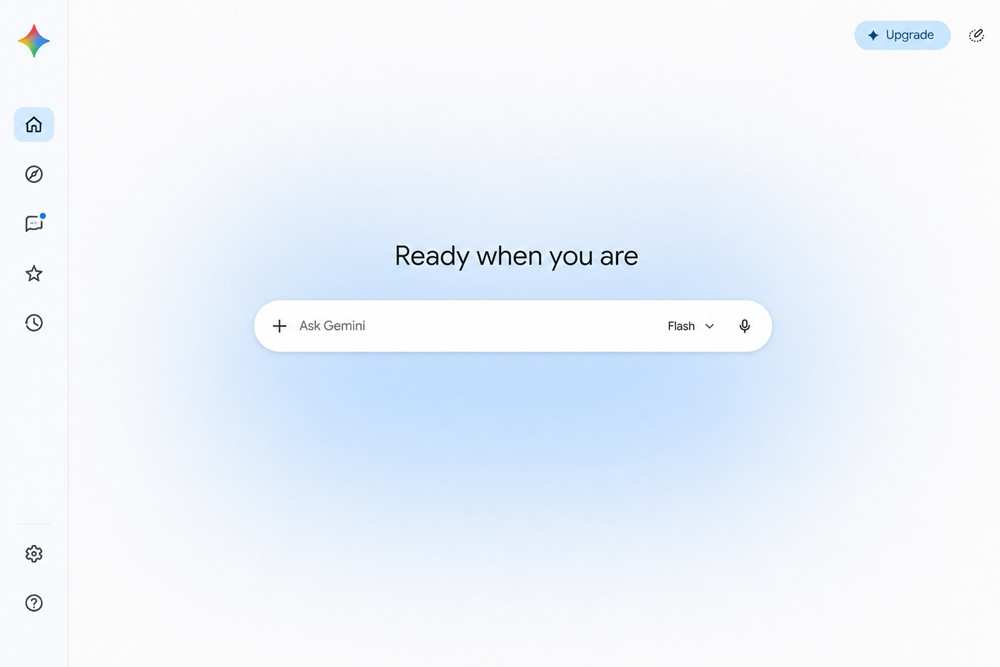
On a computer there is no need to install a separate program, because Gemini can be used from a browser. A mobile app is available for Android and iOS, and on Android it can also be set as the default digital assistant.
Does Gemini Automatically Have Access to Gmail and Google Drive?
Gemini does not automatically get unlimited access to all Google data. The information and actions available depend on the connected applications, the account settings, the permissions granted and, in an enterprise environment, the administrator settings as well. Access for connected applications can be managed in Gemini’s settings.
Can Documents and Other Files Be Uploaded to Gemini?
Yes, files, images and videos can be shared with Gemini. Based on the uploaded content the tool can, for example, produce a summary, look up information or compare several documents. The available features and usage limits may also depend on the plan you choose.
Does Gemini Always Give Accurate Answers?
No. Gemini may present inaccurate, incomplete or misleading information as a factual answer. Important data, sources and conclusions should therefore always be checked, particularly where the result affects a business decision or publicly published content.
How Can Gemini Be Turned Off on a Phone (on Android)?
From 4 September 2026 Google is gradually removing access to Google Assistant on Android phones and tablets, and it will no longer be possible to switch back to it. Gemini can be disabled in the phone’s app manager, and you can limit which apps it can access in Gemini’s settings; the exact menu items may vary depending on the device and the Android version.
Can Gemini Be Used for Legal, Financial or Medical Decisions?
Gemini can help summarise information and prepare questions, but its answers should not be relied on as standalone professional advice. Before a legal, financial, medical or other high-stakes decision, the opinion of an appropriate professional and human review are required.
Can Conversations with Gemini Be Deleted?
Yes, Gemini activity can be viewed and deleted manually in your Google account, and the auto-delete period can also be changed. It is important to note, however, that data stored in other connected Google services is not necessarily deleted along with your Gemini activity.
Summary
Gemini AI is now far more than a simple chatbot: built into Google’s ecosystem, it supports writing, summarising information, document analysis, research and many everyday workflows. It works in Hungarian too and offers several levels of access, from the free version to more advanced personal and business plans. When choosing the right solution, though, it is worth weighing up not only the features and subscription fees but also data security requirements, internal governance, staff training and the expected business results. For a successful rollout it is therefore sensible to start with a few clearly scoped use cases and then expand gradually on the basis of experience and measurable results.
If your organisation is planning to introduce AI tools, including Gemini, ProMan Consulting’s AI consulting service will support you throughout the process, from assessment through governance to training your staff. Get in touch with us for a free consultation!
